


Transcript Intelligence

Get More From Your Transcripts

Summarize, ask questions, find key details, and explore your completed transcripts, all while keeping your human transcript as the official record.

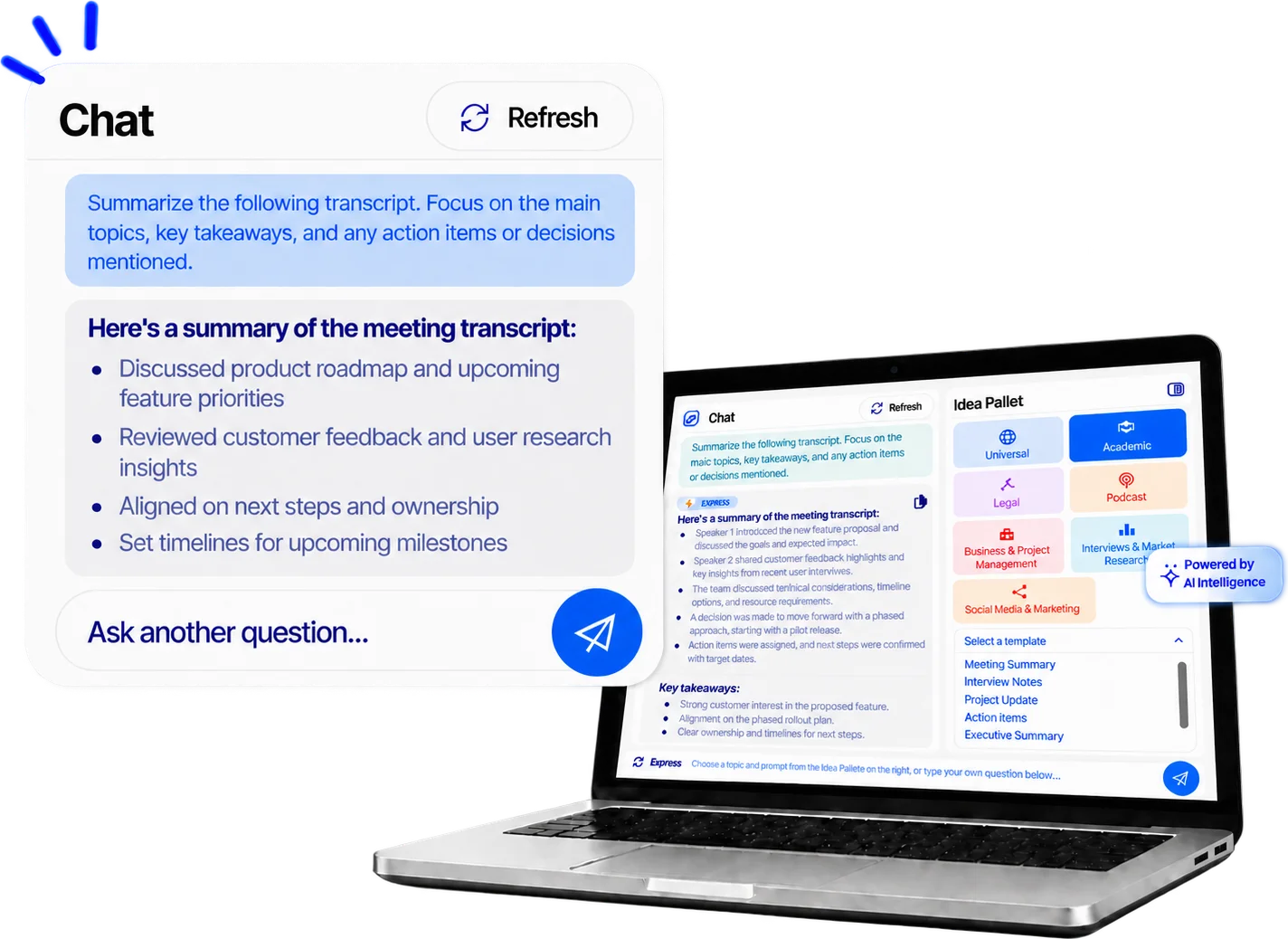
Laptop showing the GMR Transcript Intelligence chat summarizing a meeting transcript

What You Can Do With Your Transcript

  • Summarize

    Get a concise overview of your transcript.

  • Ask Questions

    Find answers and explore specific details.

  • Find Key Details

    Locate names, topics, dates, and more.

Ask Your Transcript. Find What You Need.

Have a question about a long interview, meeting, or deposition? Ask it in plain language and quickly find the relevant information in your completed transcript.

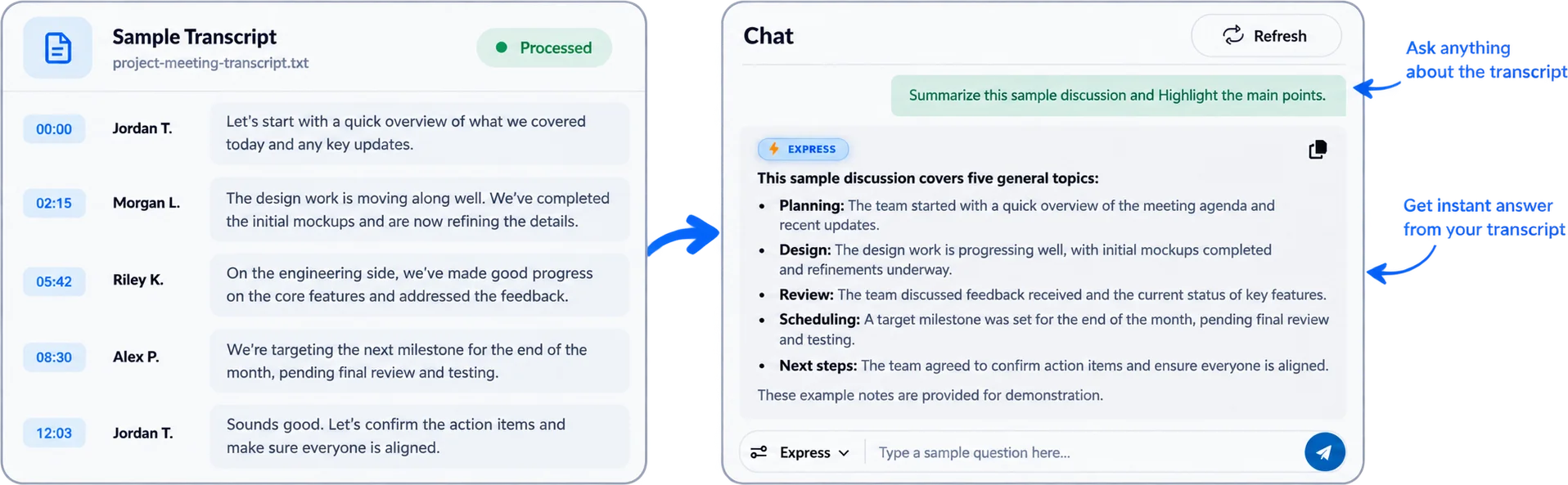
Sample transcript beside the Transcript Intelligence chat summarizing the main points of the discussion

How it works

  1. Upload your recording.

    Submit audio or video through your GMR Transcription account.

  2. Human transcription.

    Experienced, U.S.-based transcriptionists create your transcript.

  3. Receive your finished transcript.

    This is your written record of the recording.

  4. Explore it with Transcript Intelligence.

    Summarize it, ask questions, and pull out themes and key details.

Your human transcript stays the official record

Transcript Intelligence generates summaries, answers, and extracted details from your completed transcript. These tools support review and exploration. Check anything important against the transcript itself before you rely on it, quote it, or share it.

Who uses it and how

Qualitative and market research

Summarize each interview, then look across a set of interviews or focus groups for recurring themes before you start detailed coding.

Business meetings

Ask "What was decided?" or "Who owns the next step?" and pull out decisions and action items from a long meeting transcript.

Legal and professional review

Locate every mention of a person, topic, or date in a long transcript to support your own review. Transcript Intelligence supports review only. It does not provide legal analysis, and the human transcript remains the record.

Media and content teams

Find quotable statements and main topics in a recorded interview before you begin editing or drafting.

Accuracy, privacy, and limits

  • Verification.

    Always confirm important details against your transcript.

  • Limits.

    Summaries, answers, and extracted details can miss context or contain errors. They support transcript review and should be checked against the completed transcript when accuracy matters.

  • Privacy.

    GMR Transcription treats client information as private and confidential. We maintain a secure web-based file management system for customers, administrative staff, and transcriptionists. Customer accounts are individually protected, and each account provides access to that customer's uploaded files and completed transcripts. Transcriptionists have access only to files assigned to them and must sign legally binding confidentiality agreements. We delete all files from our servers after delivering the transcripts.

    Our Privacy Policy states that personal information is protected against unauthorized access, disclosure, alteration, or destruction, with access limited to employees who need the information for specific work responsibilities.

  • Human transcription.

    GMR's U.S.-based transcriptionists create your transcript and run it through a multi-step quality control process. Transcriptionists complete a self-review for accuracy, clarity, formatting, and adherence to customer guidelines. Each transcript then receives an independent review from a qualified human proofreader. GMR's current accuracy guarantee applies to good quality audio with up to two speakers.

Frequently asked questions

GMR Transcript Intelligence is a set of tools that lets you summarize, search, and ask questions about your finished GMR human transcript.

GMR Transcription's U.S. based human transcriptionists create your transcript first. Once your transcript is complete, GMR Transcript Intelligence works from that finished transcript to help you summarize content, ask questions, find information, and explore key details.

Summaries and answers are designed to help you review and explore your completed transcript. They can miss context or contain errors, so important information should be checked against the original transcript before you quote, cite, publish, or act on it.

Yes. You can ask questions about an interview, focus group, or meeting transcript and get answers drawn from that transcript, as well as pull out decisions and action items.

GMR treats client information as private and confidential. Customer accounts provide access to each customer's uploaded files and completed transcripts, while transcriptionists have access only to files specifically assigned to them. GMR requires transcriptionists to sign legally binding confidentiality agreements and is willing to sign customer-specific NDAs. GMR also states that it deletes voice files from its servers after delivering the transcripts.

The current GMR website lists these supported file types:

AIFF, MP3, MP4, DIVX, MOV, DSS, DVF, MPEG, WMV, M4A, WAV, OGG, DOC, PDF, RTF, and TXT.

As for the transcript length, there is no limit.

Start with the human transcript. Get more from it.

Your transcript holds the details. Transcript Intelligence helps you find them faster, while the human transcript stays your official record.

Certificates

Small Business Trend
Women Owned
MBE
Pci Compliance

Proud Members Of

Aaert
Ata
Forbes
Inc

GMR Transcription App

Transcription made easy, download the GMR Transcription app and manage your projects from anywhere.

CLIENT REGISTER CALL US